

HOW TO BOOK
YOUR Fujairah Taxi on the Careem App

Step 1: Download the Careem app and create an account
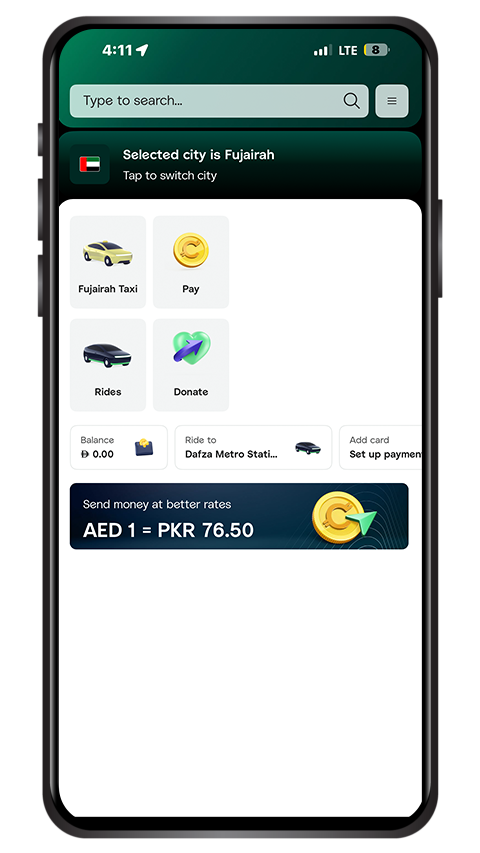
Step 2: Select ‘Fujairah Taxi’
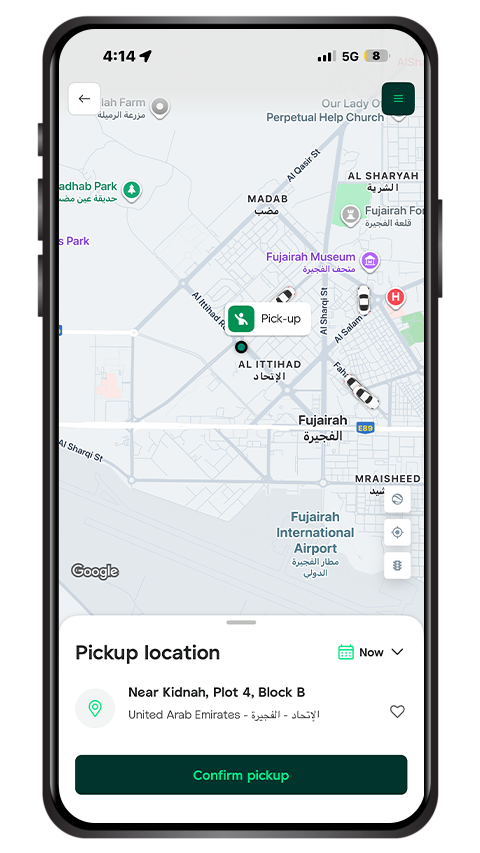
Step 3: Choose your pick-up and drop-off locations
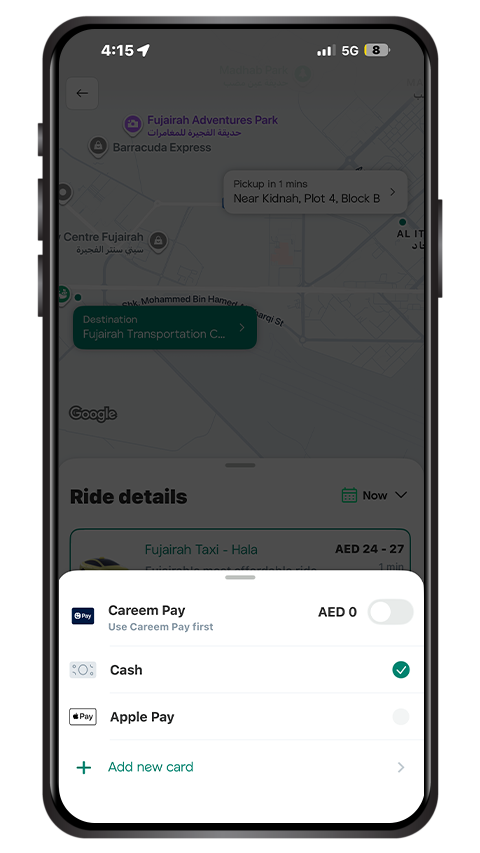
Step 4: Pay your way
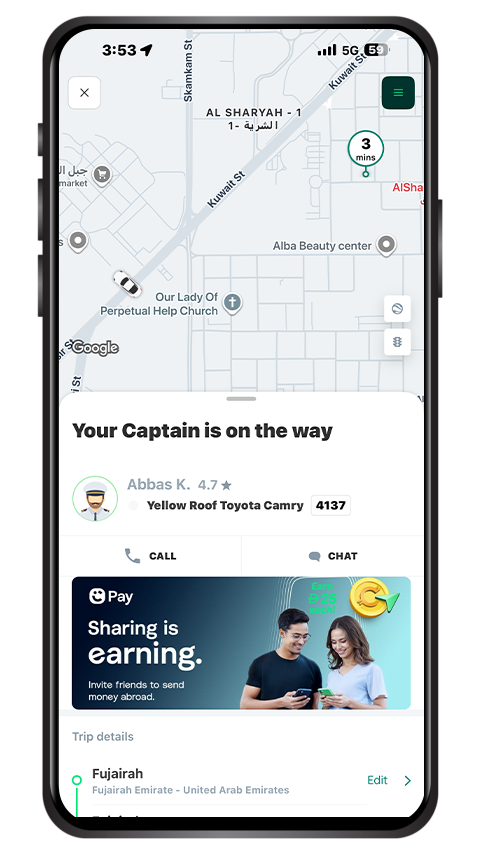
Step 5: Be on the lookout for your ride

Step 1: Download the Careem app and create an account

If you don’t have the Careem app yet, download it from your app store.
1. Tap ‘Continue with mobile number’
2. Enter your mobile number.
3. Type the 4-digit code sent to you (or you can request a call).
4. Create a strong password.
5. Finally, enter your full name.
As simple as that!

Step 2: Select ‘Fujairah Taxi’

Open the Careem app and tap the Fujairah Taxi icon.

Step 3: Choose your pick-up and drop-off locations

Choose your pick-up and drop-off locations
Navigate to the ‘Where to?’ field and enter your destination.
Add your pick-up point.
Press ‘Confirm Pick-up’.

Step 4: Pay your way

You can pay your Fujairah Taxi fare using:
Cash
Card
Careem Pay
Apple Pay
A fare estimate will appear before you book. If everything looks good, tap ‘‘Yalla’ to confirm.

Step 5: Be on the lookout for your ride

Once your Fujairah Taxi Captain (the name of our drivers!) accepts the ride, you will see:
Their name
Contact information
Car type
License plate number
You can also track them in real time as they make their way to you.

Why book your Fujairah Taxi on the Careem app?

It’s as easy as tap, ride, repeat! Experience all of Fujairah and beyond with Hala one trip at a time.

By booking Fujairah Taxi on the Careem app, you’ll have the details of your trip and your Captain upfront. You can also easily share your ride details with friends and family, make your payment, and rate your ride experience, all with a few clicks on your phone. Our Fujairah cabs provide a comfortable and efficient transportation experience for every ride.


Book in seconds, ride in minutes. Download the Careem app and take your first Hala Ride today.

Download Careem Learn more
App Store Google Play